
One-Click Case Review — From Any Device
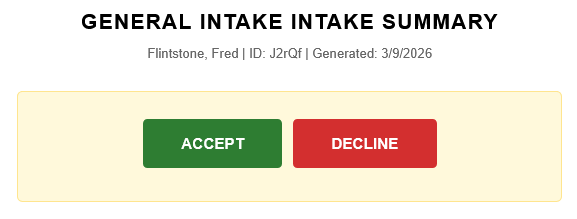
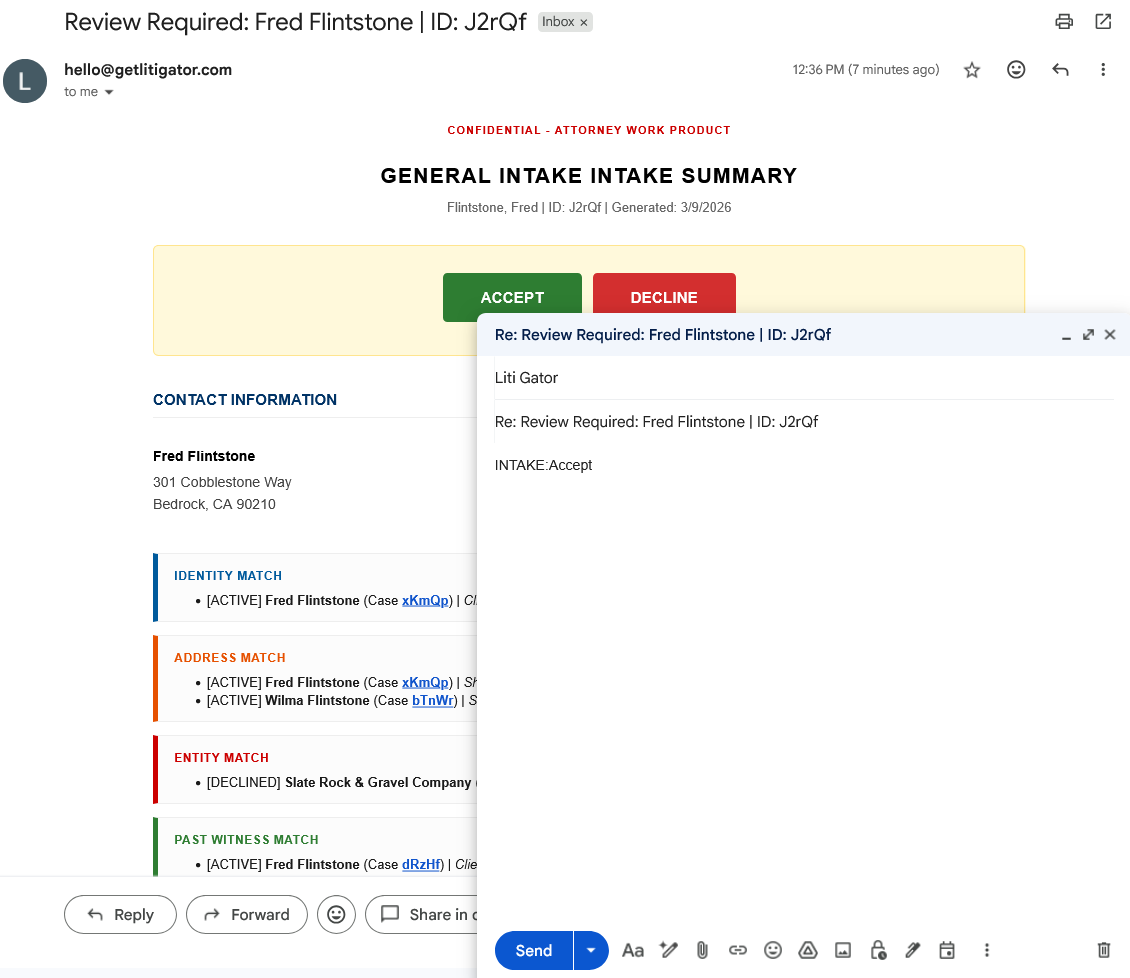
Attorneys receive a detailed notification email for each new intake. The email contains the full case summary, conflict alerts, incident timeline, document links, and two buttons: Accept or Decline. Clicking a button opens their email client with a pre-filled reply. They hit Send. Done.
No separate system to log into. No app to install. Review and decide from your email — on your phone, tablet, or desktop.
Why It Matters
- Attorneys review and decide from their email — no separate system to log into
- Decisions tracked automatically with timestamps
- 48-hour reminders ensure nothing falls through the cracks
- Works from phone, tablet, or desktop — anywhere you read email
What the Notification Contains
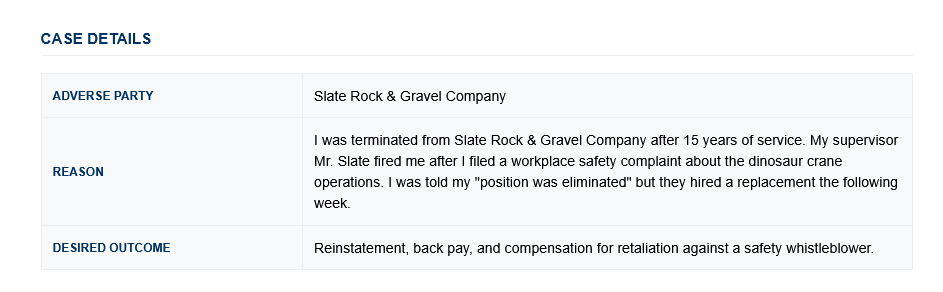
Full Case Summary
Every notification is a complete case briefing — client info, case description, and all supporting details in one email.
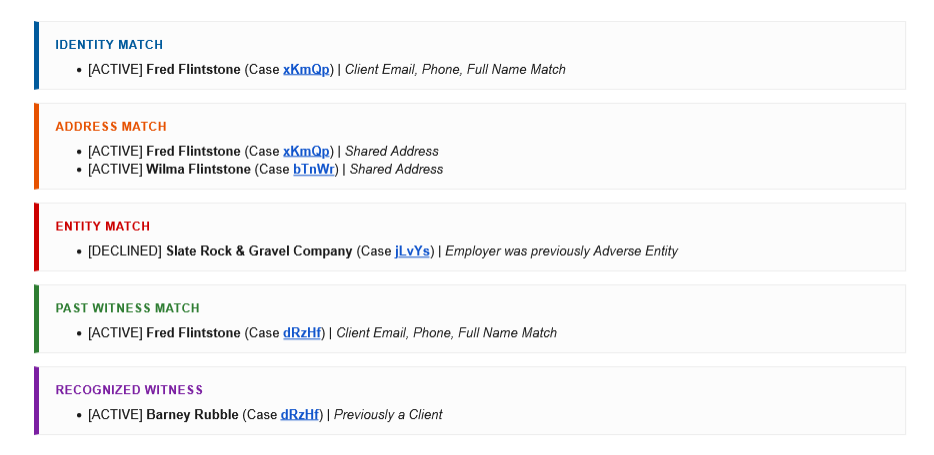
Conflict Alerts
Color-coded conflict boxes appear when matches are found against your firm’s history.
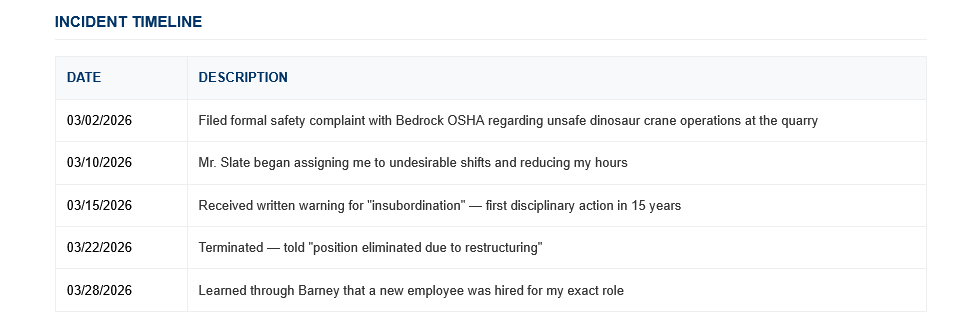
Incident Timeline
Events as reported by the client, displayed chronologically with dates and descriptions.
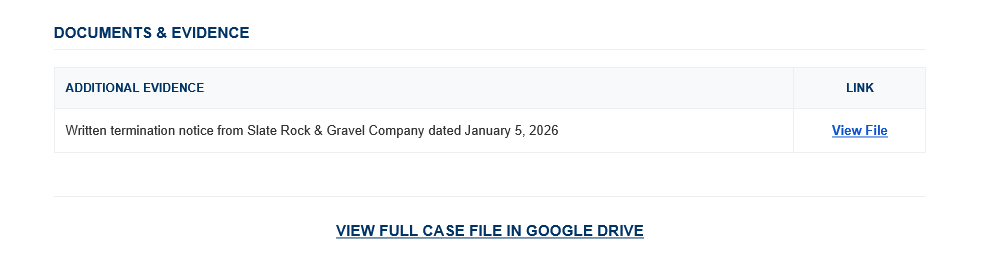
Documents & Evidence
Links to uploaded files stored in the case’s Google Drive folder.
Accept / Decline Buttons
Two buttons at the bottom of every notification. One click opens a pre-filled email reply — just hit Send.
The Accept Flow
Clicking Accept
The Accept button opens your email client with a pre-filled reply to the admin address. No editing needed — just Send.
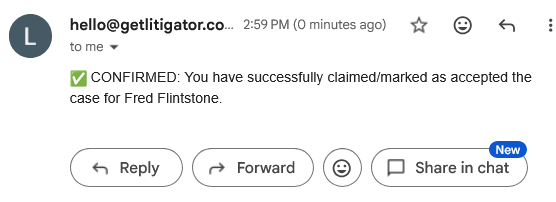
Confirmation
Within minutes, a confirmation reply arrives. The case is yours.
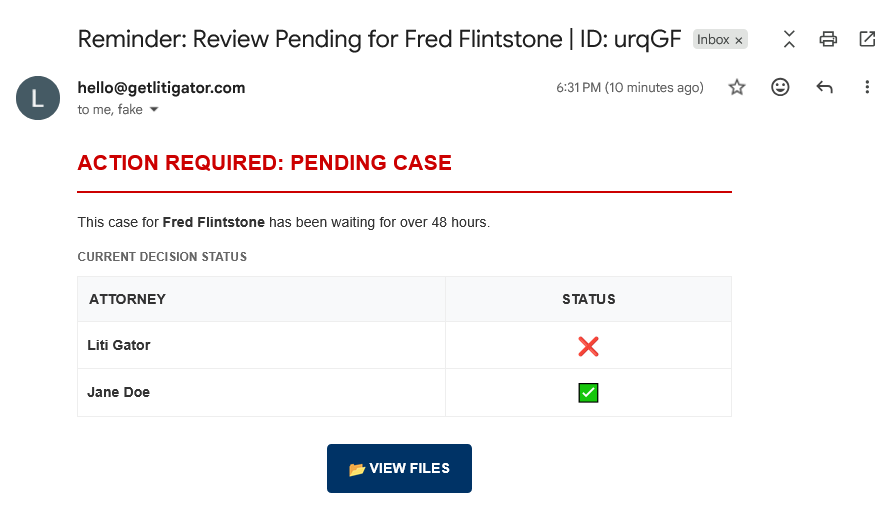
48-Hour Reminders
Pending cases trigger a reminder after 48 hours, showing which attorneys have voted and which haven’t.
Decision Logic
- First Accept claims — the first attorney to accept claims the case
- Consensus Decline — if all attorneys decline, the firm declines
- Admin override — Admin Accept or Admin Decline supersedes all attorney votes
Key Details
- Sent from your Gmail — from your own Gmail account, no deliverability issues
- Standard email replies — works with any email client
- Decision Log — records every vote with reviewer email and timestamp
- Retry logic — failed notifications retry automatically up to 3 times