Why LitiGator Doesn’t Use AI (And Why Your Intake System Shouldn’t Either)
Every legal tech vendor is racing to add AI. Clio’s “Grow AI” promises to instantly screen leads for suitability and follow up automatically. Lawmatics announced its AI Suite in March 2026 — three tools called QualifyAI, EngageAI, and MerlinAI — described as “agentic automation” for legal intake. The marketing is compelling: prospects get faster responses, no opportunity gets missed, and staff workload drops.
Before adopting any of it, there is a question worth asking that most vendors are not volunteering an answer to: where does your client’s data go when the AI processes it?
This post is not an argument against technology. It is an argument for precision. Specifically, it is an argument that law firms evaluating any AI-powered tool should understand what “AI-powered” actually means for their clients’ confidential information — and why, for legal intake in particular, deterministic rule-based automation is the more defensible approach.
The Confidentiality Problem With AI-Powered Legal Tools
When a legal intake tool uses AI to qualify leads, triage submissions, or detect conflicts, it is doing one of two things with client data: processing it locally using a model the vendor operates and controls, or sending it to an external AI service — OpenAI, Google Gemini, Anthropic’s Claude, or a similar provider — to generate a result.
The distinction matters because of what happens to data the moment it leaves your Google Workspace, your servers, or your vendor’s controlled infrastructure and reaches a third-party AI service.
ABA Formal Opinion 512, issued July 29, 2024, is the American Bar Association’s first comprehensive ethics guidance on lawyers’ use of generative AI. It addresses confidentiality under Model Rule 1.6 directly:
A lawyer using GAI must be cognizant of the duty to keep confidential all information relating to the representation of a client, regardless of its source, unless the client gives informed consent.
The opinion identifies self-learning AI tools — those that may use client inputs to improve their models — as requiring affirmative informed consent before a lawyer can input confidential client information. It further requires that lawyers understand how the AI tool uses data and put in place “adequate safeguards to ensure that data processed by GAI is secure and not susceptible to unwitting or unauthorized disclosure to third parties.”
The standard is not whether the vendor has a privacy policy. It is whether the lawyer can account for where client data went, who processed it, whether it was retained, and whether it could resurface elsewhere.
What State Bars Are Saying
The ABA’s opinion is persuasive guidance, not binding authority. But state bars have moved quickly in the same direction.
Florida Bar Opinion 24-1 (January 2024) permits AI use by attorneys but requires that client confidentiality be prioritized — including a duty to understand the tool’s data handling practices before using it for client matters.
Texas State Bar Opinion 705 (February 2025) warns explicitly of the risks of inputting sensitive client details into AI systems and requires attorneys to avoid inadvertent disclosure of confidential information through AI tool use.
North Carolina State Bar guidance requires that any AI tool be used “securely to protect client confidentiality” and with “proper supervision.”
Oregon Formal Opinion 2025-205 requires lawyers using either open or closed AI models to carefully review the vendor’s contract to understand confidentiality parameters — and to consider whether client consent is required before proceeding.
Every one of these opinions frames the question the same way: the lawyer’s ethical duty runs to the client, not to the vendor. If you cannot explain where your client’s intake information went and what was done with it, that is not a technology question. It is an ethics question.
The Privilege Problem Is Becoming a Litigation Problem
The confidentiality risk is no longer theoretical. Federal courts have begun ruling on it directly.
In early 2026, a New York federal court examined whether documents generated with AI assistance were protected by attorney-client privilege. The court’s reasoning centered on the disclosure question: when a party inputs privileged information into a commercial AI platform whose privacy policy permits data collection, model training, and third-party disclosure, they have disclosed that information to a third party. The privilege analysis turns on whether that third party’s involvement was necessary and directed by counsel — and in most cases involving AI-powered legal tech tools, it was not.
The disclosure issue is structural. A consumer or commercial AI tool is a third party. Consumer AI privacy policies routinely disclose that inputs may be used for model training and that data may be shared with third parties, including regulatory authorities. When client information flows through that pipeline — even briefly, even without being retained in identifiable form — the confidentiality analysis under Rule 1.6 is triggered.
Law firms adopting AI-powered intake tools are, in many cases, adopting this exposure without examining it.
What “AI-Powered” Actually Means in Legal Intake
There is an important distinction between AI features built on external model APIs and automation that runs locally on rule-based logic.
When a vendor advertises “AI-powered lead qualification,” they typically mean one of the following:
- The intake form submission is sent to an external LLM API (OpenAI, Anthropic, Google) with a prompt asking the model to evaluate the lead.
- The vendor runs a proprietary model they host, with inputs from your submissions used as inference data.
- The feature is “AI-powered” as a marketing description, but the underlying logic is a decision tree or keyword filter that has always existed.
In cases 1 and 2, your client’s name, contact information, case description, adverse parties, and potentially sensitive details about their legal matter are leaving your firm’s infrastructure. In case 3, the marketing language is doing work that the product cannot support.
The problem is that most vendor documentation does not clearly distinguish between these three scenarios. A product page that says “AI instantly qualifies your leads” does not tell you whether that AI is running locally in the vendor’s infrastructure under a confidentiality agreement or sending your client’s information to a third-party model API for inference.
These are the questions to ask. More on that below.
The Informed Consent Gap
ABA Formal Opinion 512 identifies a specific consent requirement for self-learning AI tools: informed consent requires the lawyer’s explanation of the risk — not boilerplate in an engagement letter.
This is a meaningful threshold for intake-stage tools in particular. At the intake stage, the prospective client has not yet engaged the firm. They have submitted a form describing their legal situation. They have done so with a reasonable expectation that the information is being received by the law firm.
Whether they have consented to that information being processed by a third-party AI system — and whether the firm can demonstrate that consent was informed — is a question most intake AI tools are not helping law firms answer.
Why Deterministic Automation Is Better for Legal Workflows
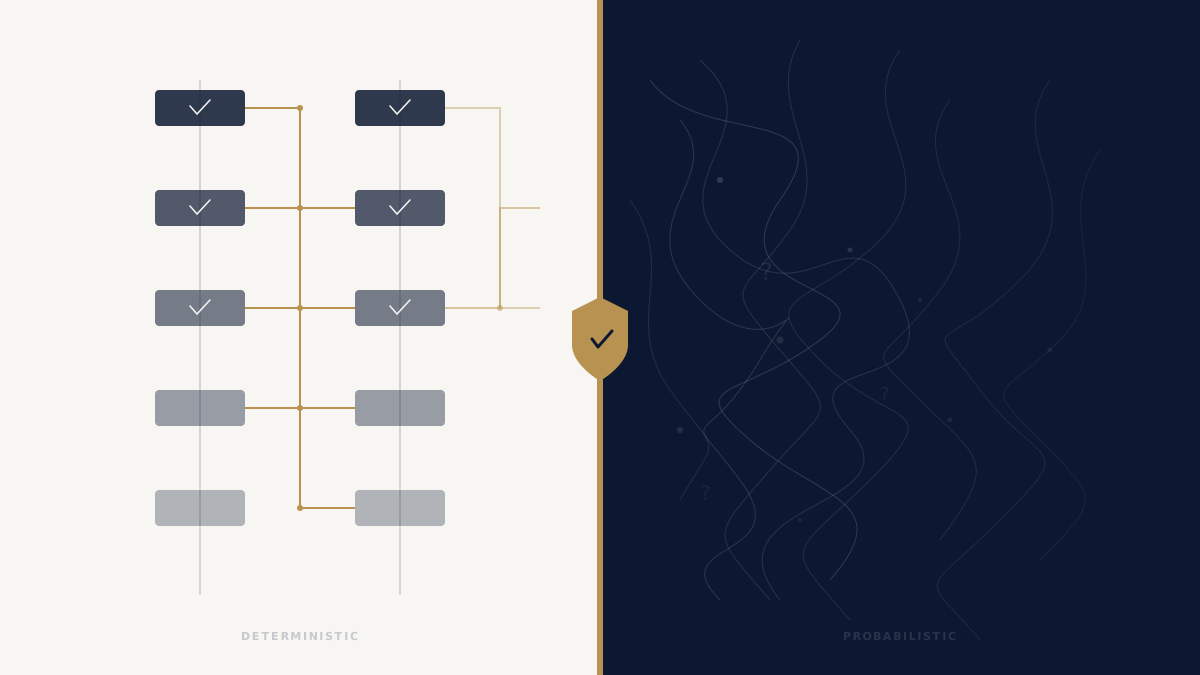
LitiGator does not use AI. It uses deterministic, rule-based automation. Every operation it performs produces the same output given the same inputs, every time.
Here is why that matters for legal intake specifically.
Predictability
When an attorney needs to defend a conflict-checking decision, “the AI determined there was no conflict” is not a defensible answer. Conflict determinations are legal judgments. The supporting evidence — that a check was performed, what data was examined, what the result was — needs to be reconstructable. Deterministic logic produces reconstructable results. Probabilistic AI inference does not.
Auditability
LitiGator’s conflict detection runs five structured checks against the firm’s People Database, which lives in the firm’s own Google Sheets. Every check produces a permanent log entry in the Ethical Wall Log: the timestamp, the case ID, the matched entity, the reviewer involved, and the action taken. If a conflict surfaces later, you can point to exactly what the system checked, when it checked it, and what it found.
That is the kind of record a malpractice defense requires.
No Hallucinations
AI language models can generate false positives and false negatives in ways that are difficult to explain after the fact. A normalized string comparison either matches or it does not. If two entity names do not share more than 50% of their normalized tokens, the check returns no match. There is no confidence score to interpret, no threshold to tune, and no edge case where the model “decided” something without a traceable reason.
No Data Leaves Your Workspace
The most direct answer to the privilege question is architectural: LitiGator runs entirely inside your Google Workspace. The conflict detection logic executes inside Google Apps Script against your Google Sheets. The case files go into your Google Drive. The notifications go through your Gmail. No client data is transmitted to any external AI service, any third-party analytics platform, or any server LitiGator operates.
The external connection list for LitiGator is short and explicit: one license validation call to confirm your subscription is active. That call contains no case data, no PII, and no intake information. That is the complete list of outbound connections.
How LitiGator’s Conflict Detection Actually Works
To be specific about what deterministic means in practice:
LitiGator runs five layers of conflict detection on every intake submission, automatically, as part of the pipeline that runs within five minutes of a form submission.
Layer 1 — Direct identity match. Checks the incoming client’s email address, phone number, and normalized full name against every person in the firm’s People Database. Normalization means lowercase, strip accents, normalize whitespace — so “María García” and “Maria Garcia” resolve to the same string.
Layer 2 — Shared address match. Checks whether the incoming client’s address matches any address in the database. Address normalization strips apartment numbers, unit suffixes, and directional words so that “123 N. Oak Street, Apt 2B” and “123 Oak St” resolve to the same string for comparison.
Layer 3 — Adverse entity match. Checks the adverse party named in the intake against every entity previously listed as an adverse party in a prior matter. Entity normalization strips corporate suffixes (LLC, Inc, Corp, LLP, PC) before comparison. Token overlap matching flags any entity where more than 50% of the normalized words are shared with a known entity.
Layer 4 — Prior witness match. Checks whether the incoming client was previously listed as a witness in a prior matter. Same identity match logic: email, phone, normalized name.
Layer 5 — Recognized witness match. Checks whether any witnesses named in the new intake are known to the firm from prior matters.
None of this involves AI. None of it involves sending data outside the firm’s Google Workspace. Every match is fully explainable: here is the incoming value, here is the stored value, here is the normalization applied, here is why they matched or did not.
The Questions to Ask Your Legal Tech Vendor
If you are evaluating any AI-powered legal intake tool, these are the questions that matter. Ask them in writing before signing anything.
1. Does your product send client data to any external AI service?
Specifically: does any part of the intake processing, lead qualification, conflict detection, or document handling transmit client information to a third-party API such as OpenAI, Google Gemini, Anthropic, or any similar provider?
2. Which AI model or models do you use, and where are they hosted?
“We use AI” is not an answer. The specific model, the specific hosting environment, and the specific data processing agreement governing that model are what matter.
3. Is client data used to train or fine-tune your AI models?
Many vendors use aggregated customer data to improve their models. If your clients’ intake information is part of that training set, you have disclosed confidential information to a process that may surface it in unpredictable ways.
4. Can you guarantee that client data processed by your AI is not retained by the AI provider?
Enterprise AI agreements vary significantly. Some provide contractual guarantees that inputs are not retained. Many do not. If the vendor cannot provide a copy of the relevant data processing agreement with the AI provider, the answer to this question is effectively no.
5. Have you obtained a state bar ethics opinion or outside ethics counsel review of your AI features’ privilege implications?
This is a question about whether the vendor has taken the question seriously. The absence of an answer is informative.
6. Can a client opt out of AI processing of their intake information?
If the tool does not offer a meaningful opt-out, every client whose information enters the intake pipeline is subject to AI processing without having consented to it specifically.
7. If I need to explain to a judge or bar disciplinary panel how a conflict was detected — or missed — can your system provide a deterministic, traceable record?
“The AI assessed it” is not a defensible answer in either context. The ability to produce a complete audit trail of the conflict check — what was compared, against what data, with what result — is a bar compliance question, not a product feature question.
Where LitiGator Fits in This Conversation
LitiGator automates legal intake — form submission to conflict-checked case file to attorney notification to decision tracking — entirely inside your Google Workspace. No proprietary servers. No third-party AI. No model that processes your client data.
The automation is rule-based and auditable. The conflict detection is deterministic and logged. The data never leaves your Google account.
We are not making an argument that AI has no place in legal practice. That is a different conversation, and a more nuanced one. We are making a specific argument: for legal intake, where the data is maximally sensitive and the privilege questions are most acute, the case for deterministic automation that stays entirely within your infrastructure is strong — and the case for AI-powered intake that routes client data through external services requires careful scrutiny that most firms have not applied.
The resources below are a useful starting point.
- The LitiGator security whitepaper covers the complete technical architecture, including the full list of external connections and data handling practices.
- The /no-ai/ page (coming soon) will document our design decision in detail, including the specific privilege and compliance considerations that shaped it.
- If you want to see how the intake pipeline works: book a demo.
This post describes the current state of ABA and state bar guidance as of April 2026 and recent federal court decisions. It is not legal advice. Law firms should consult ethics counsel regarding their specific obligations under their state’s rules of professional conduct before adopting any AI-powered tool for client matter processing.